You can convert a binary file to a QR code for free using two main methods:
- Direct upload with Linko’s file to QR code tool or
- Manual encoding and linking.
While most free QR code tools don’t support binary files directly, Linko offers a fast and simple way to upload binary files (like .bin, .img, or custom data files) and turn them into downloadable dynamic QR codes.
 Method 1: Convert a Binary File to QR Code Using Linko (Direct Upload)
The easiest and most secure method is using linko’s QR code tool.
It supports direct binary file uploads up to 5MB and creates a dynamic QR code for download or sharing.
Steps:
-
Sign up for a free account on Linko.me.
-
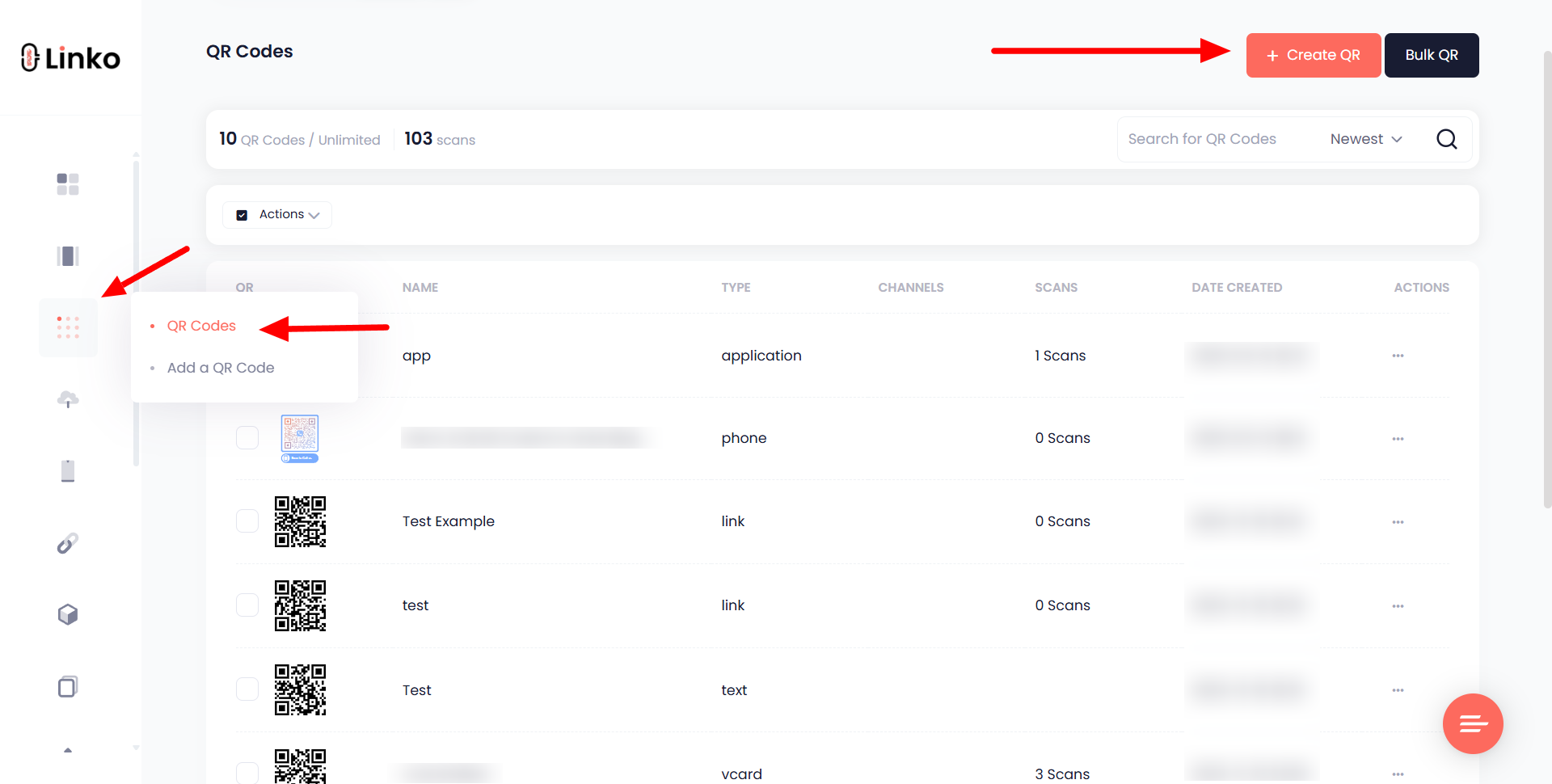
From your dashboard, go to the Create QR section.
-
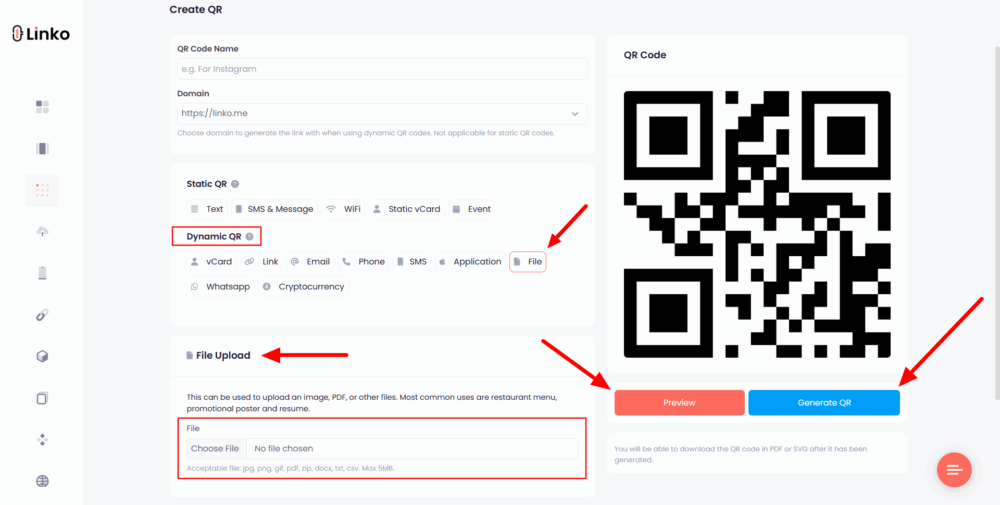
Choose “File” as your QR code type.
-
Upload your binary file
(.bin, .img, etc.)– up to 5MB. -
(Optional) Customize the QR design – change colors, add a logo, or choose a frame.
-
Click Generate and download or share the QR code.
Why Use This Method?
- Supports binary file formats.
- Lets you track scans and update the file anytime (since it’s dynamic).
- Free account gives access to the core features.
Method 2: Host the File and Link to It via Static QR Code
If you prefer not to sign up, another option is to upload your binary file to a file hosting service (like Dropbox, Google Drive, or any public file server), then create a QR code for that file’s URL.
Steps:
-
Upload your binary file to a public hosting platform.
-
Copy the shareable download URL.
-
Go to a free static QR generator like Linko’s website URL QR code creator.
-
Select URL as the QR type and paste your file’s download link.
-
Customize the design if needed, then generate and download the QR.
Things to Keep in Mind:
- You can’t change the file later unless you generate a new QR code since it is static.
- File privacy depends on your hosting service settings.
- No scan analytics or editability like dynamic QR codes.
 Common Use Cases
- Sharing binary firmware files with developers.
- Distributing config files or ROMs via QR in printed manuals.
- Making embedded systems or IoT deployment files downloadable via scan.
Linko gives you full control with free file upload and a trackable dynamic QR tool, perfect for developers, engineers, and anyone sharing non-standard file types.