You can convert a .GIF file to a QR code for free in two ways:
- either by uploading the file to a trusted QR generator like Linko, or
- by uploading your GIF to a file hosting service and linking that URL through a standard QR code.
Both methods are simple, but only one offers full control, editing, and file hosting in one place.
 Method 1: Use Linko’s Free File-to-QR Generator (Direct Upload)
This method lets you upload the actual GIF file without needing external storage. Your QR will point directly to your hosted GIF on Linko.
Steps:
-
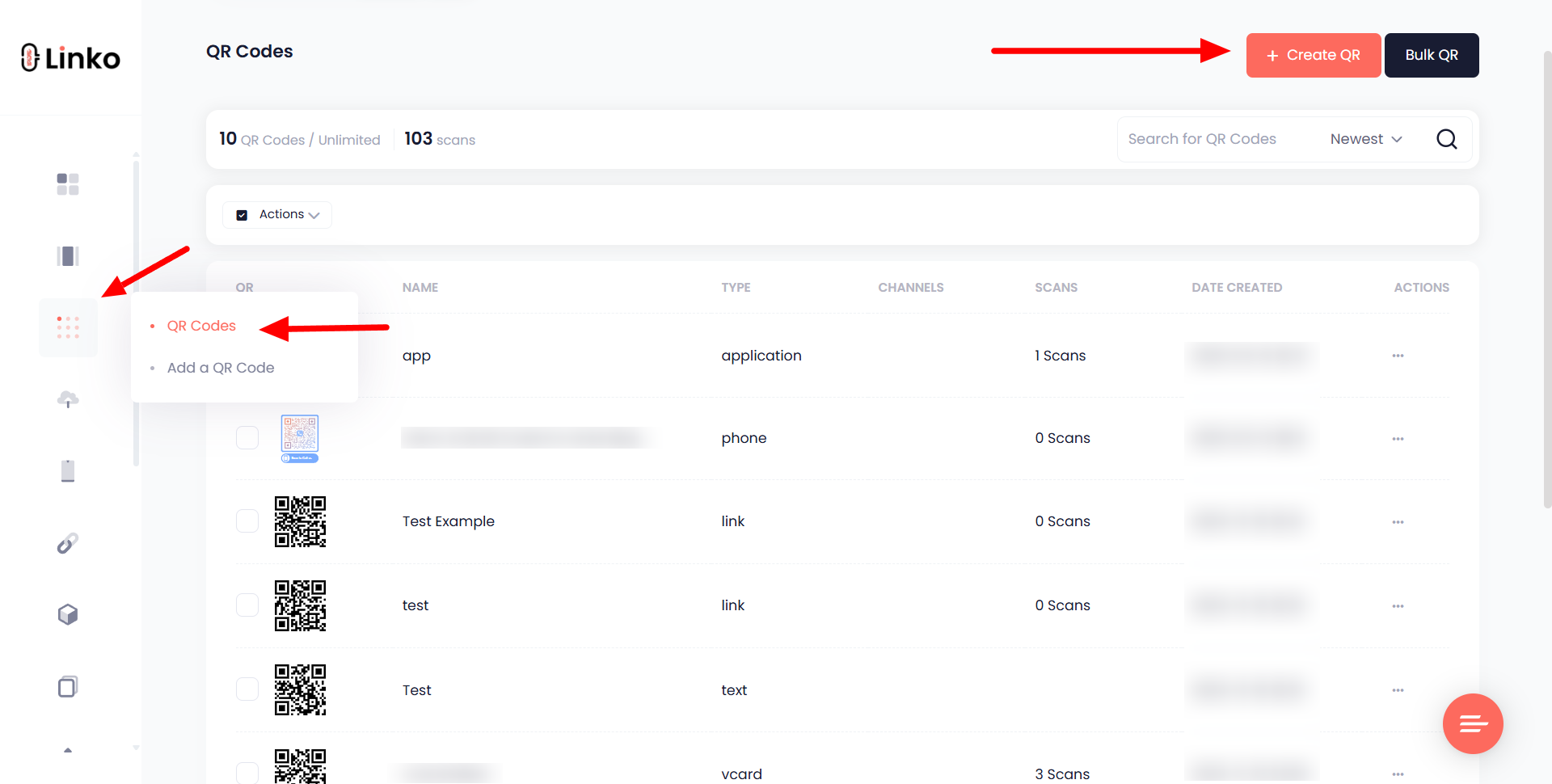
Go to the “Create QR” section from your dashboard.
-
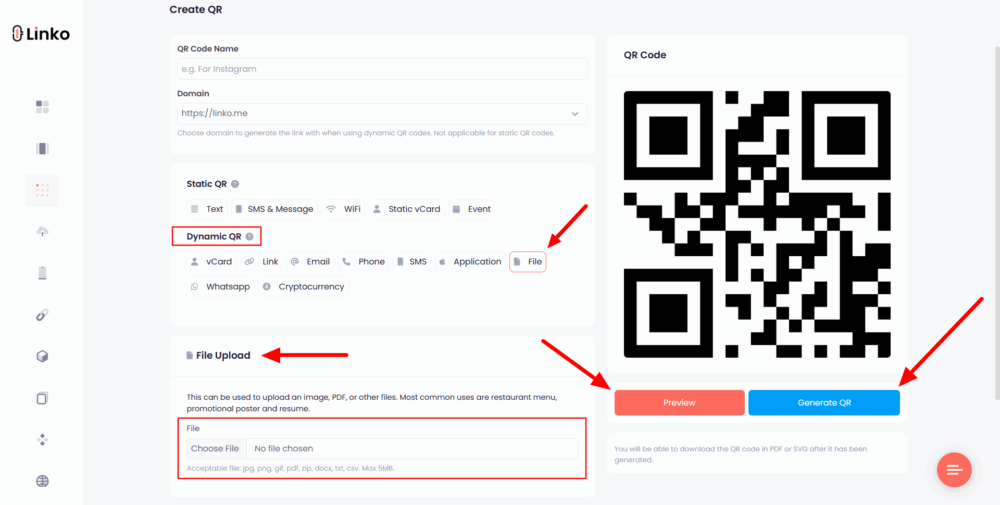
Choose “File” under the Dynamic QR options.
-
Upload your GIF file (up to 5MB).
-
Customize the design, color, and shape if needed.
-
Click Generate to create and download your QR code.
Use case: Perfect for marketers, creators, or anyone sharing the GIF for fun who wants full control over the file link and the ability to edit the destination later.
Example: A GIF of a looping animation or product demo can be uploaded and turned into a QR code that users can scan at events, in printed flyers, or even on packaging.
Method 2: Upload GIF to Cloud, Then Link Using a Free QR Code Generator
If you don’t want to create an account, this method works using free cloud storage and any basic QR tool.
Steps:
-
Upload your GIF file to Google Drive, Dropbox, or Imgur.
-
Make the file publicly shareable or viewable by anyone with the link.
-
Copy the direct link to your file.
-
Paste that link into any free QR maker tool (like Linko’s URL QR option).
-
Generate your QR code and download it.
Use case: Ideal for one-time uses or quick sharing where you already have the file hosted online.
Tip: Make sure the GIF is publicly accessible. If it’s private, the QR will not work for others.
 Which Option Is Better?
If you need editing, tracking, and built-in file hosting, go with Method 1 using Linko.
You can also replace the file later without changing the QR.
For a quick, no-login method, Method 2 does the trick, but you’ll rely on a third-party link.
Both options are 100% free to use. Choose based on how much control and customization you need.