You can’t directly convert a .js file into a QR code, but you can make it accessible by uploading the file to cloud storage, copying the file URL, and creating a QR code using that link.
If you want a trackable and editable QR code, use a dynamic QR code tool.
 How It Works
JavaScript files are not QR-compatible by themselves.
You first need to host the .js file online, Google Drive, Dropbox, GitHub, or any file-sharing platform works.
Once uploaded, get a public link to the file.
That link becomes the key to converting the file into a scannable QR code.
-
If you only need a basic static QR code, you can go to Linko’s QR code maker and use the Link/URL type without even signing up.
-
Just paste the file URL, generate your QR code, and download it in PNG, SVG, or WEBP format.
Want editing access, scan tracking, and update options?
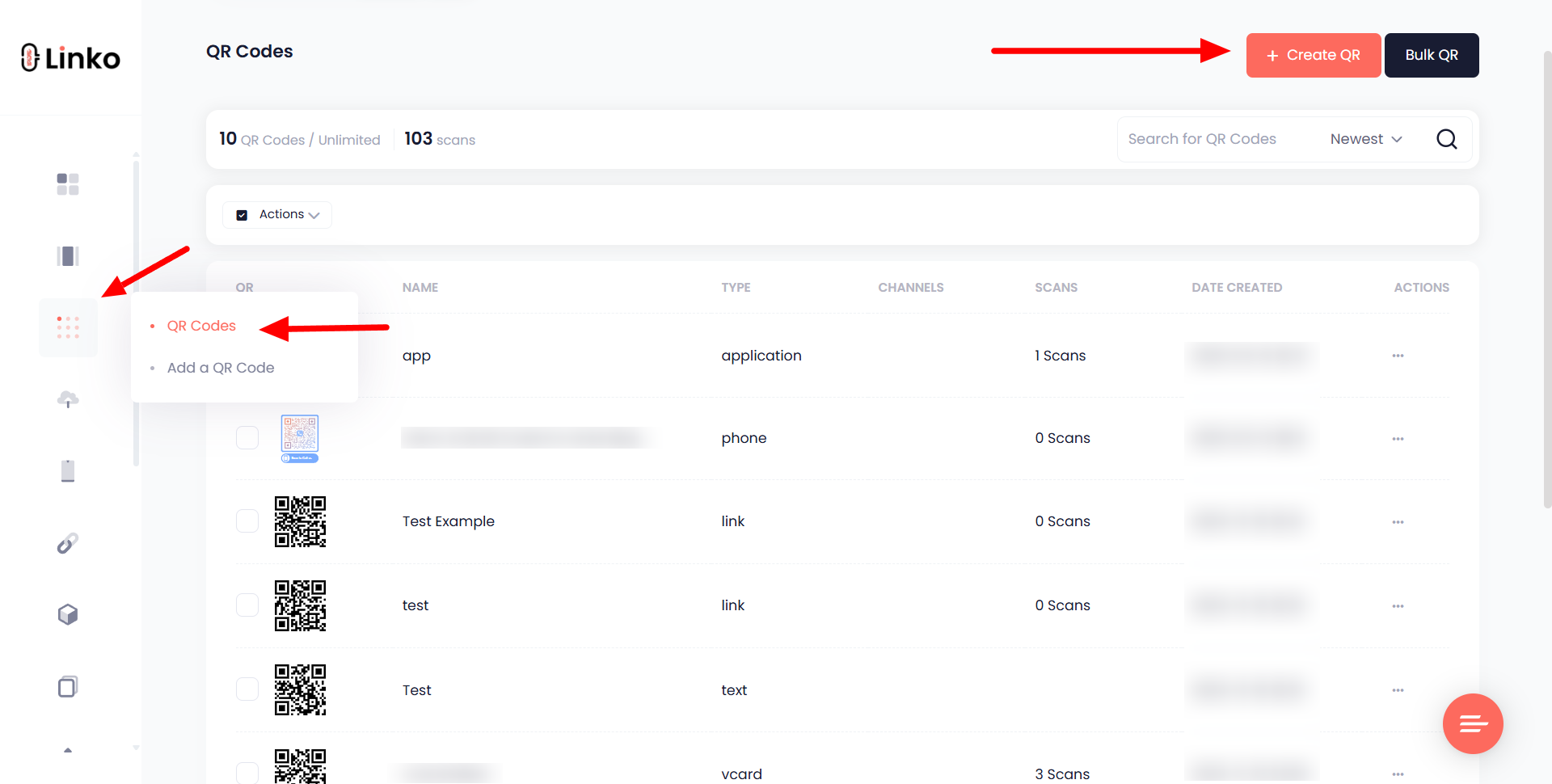
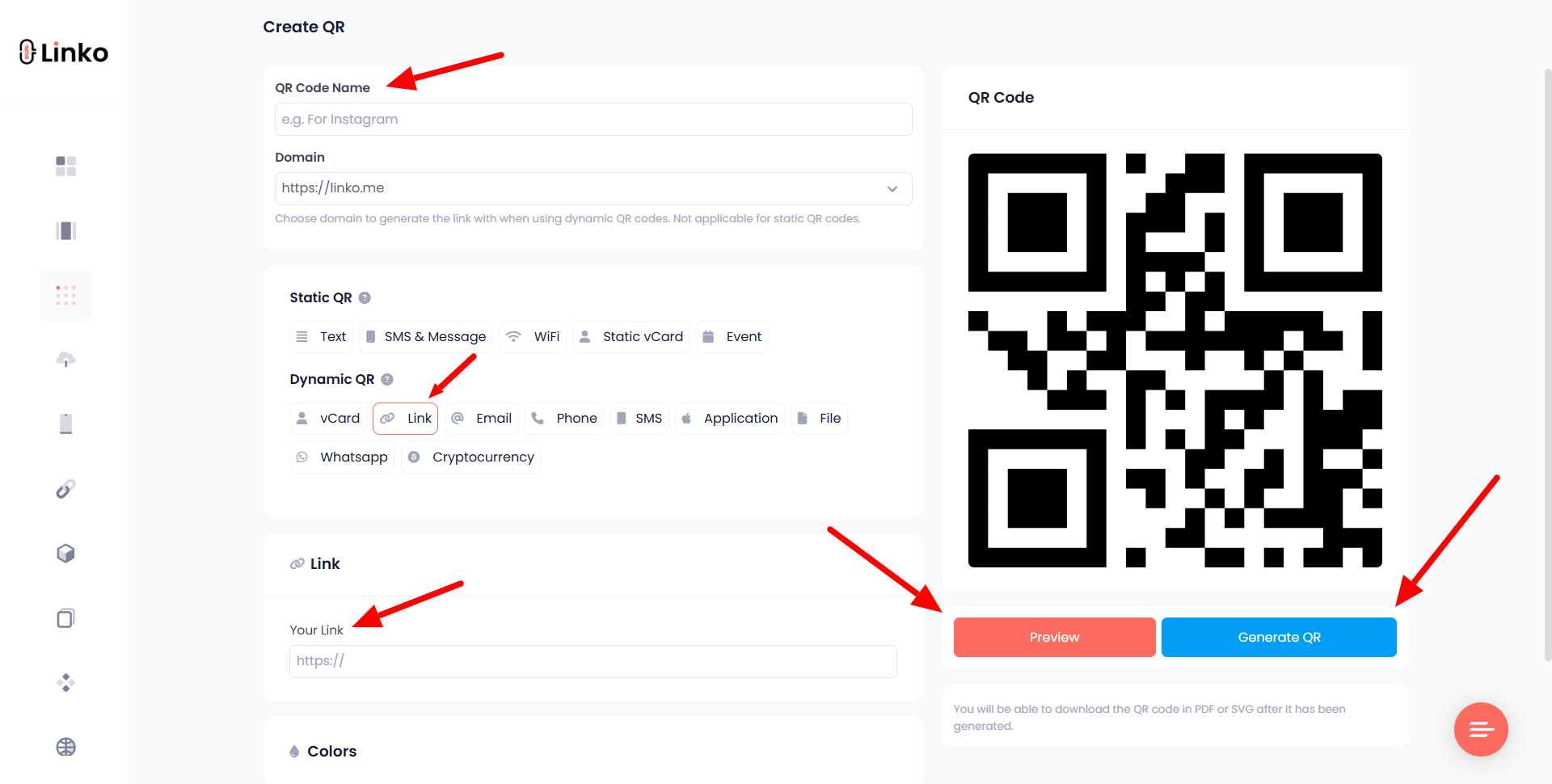
Then create a free Linko account, go to the QR code dashboard, select Dynamic QR > Link/URL, and paste your uploaded .js file link.
You’ll be able to change the link later without replacing the QR code.
 Step-by-Step: Make a QR Code for Your JS File
 Option 1: Static QR (No account needed)
-
Upload your
.jsfile to Dropbox, Google Drive, or GitHub. -
Make sure the file is public or set to “anyone with the link can view.”
-
Copy the public URL.
-
Select “Link/URL” as the QR type.
-
Paste the URL and hit generate.
-
Customize the QR style (optional), then download your QR code.
 Option 2: Dynamic QR (Free account at Linko)
-
Sign up at Linko for free.
-
Go to your dashboard > QR Code section.
-
Click “Create New” and choose “Dynamic > Link/URL”.
-
Paste your file link and save.
-
Customize the QR design and download it in the format you prefer.
 Use Cases for QR Codes with JS Files
- Share code samples during workshops or coding bootcamps
- Link JS files in printed programming guides or tutorials
- Add QR codes to GitHub project flyers or product documentation
This setup keeps your JavaScript file accessible without requiring users to type long URLs.